For organizers
Your Wizard tournament. Minus the paperwork.
You set up the tournament, players sign up by QR code, and every table keeps score on one phone. The standings run live on the TV. And you finally get to play a round yourself.
- Free during the beta
- Up to 100 players
- Keeps score without Wi-Fi
Card House Games Club
Autumn Cup 2026
Game 3 of 3 · then the final · top 4
Standings
Page 1/3
Tables
ahead: Mia 150
ahead: Ben 170
ahead: Clara 90
ahead: Emil 120
Your rank and your next table on your phone
Everything a tournament night needs
From sign-up to the awards ceremony. No spreadsheets, no calculators, no arguing over points.
Three formats and a final
Mixed, Swiss system or fixed tables. If you like, the best players meet at a final table at the end.Sign-up by QR code
Players scan the code and add themselves until game 1 starts. Or you simply paste a list of names.Live display for TV and projector
Seating, running tables and standings, big and easy to read, with your logo if you like. If it doesn't all fit, the display turns the pages by itself.One phone per table
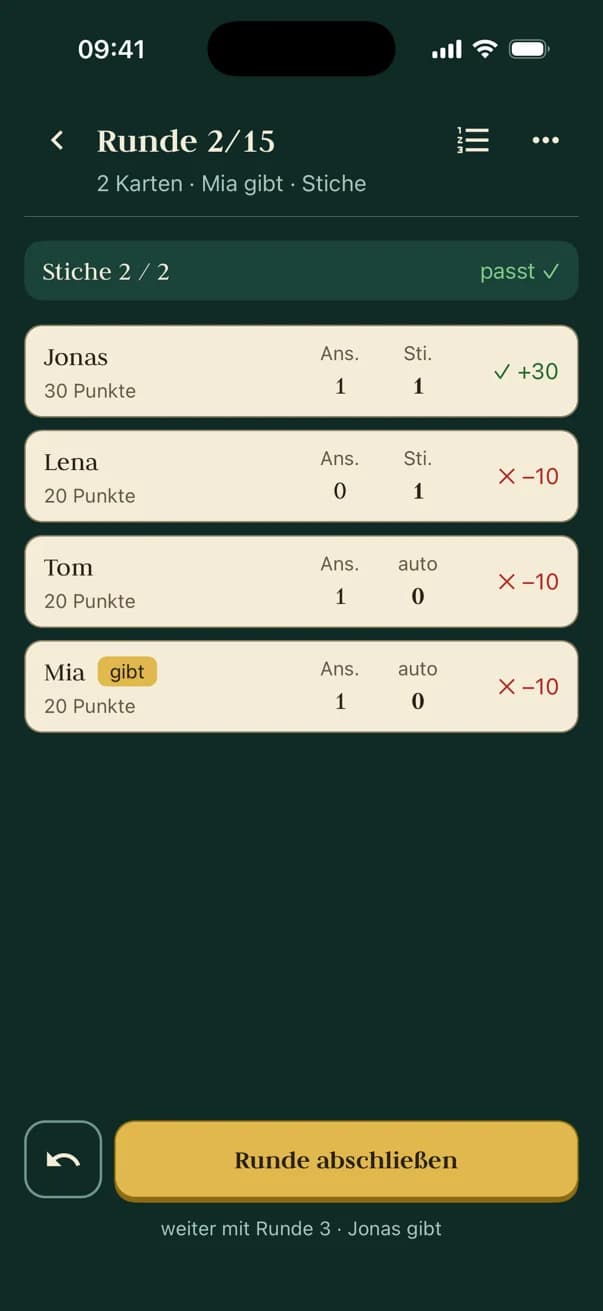
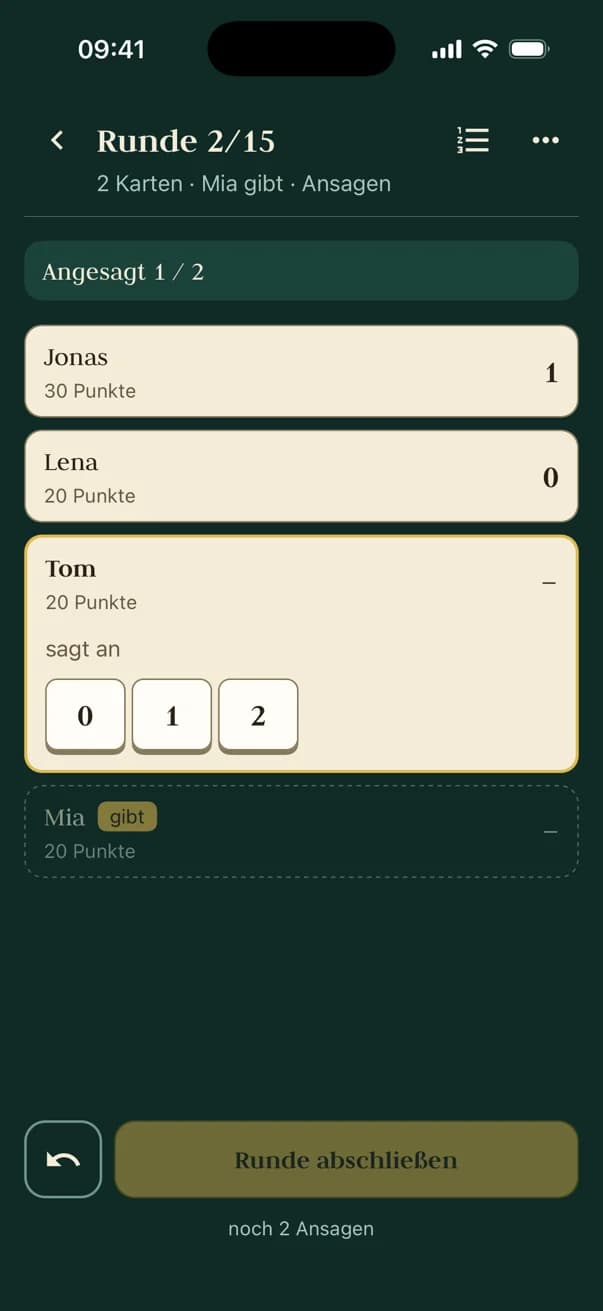
Every table keeps score in the app, even offline. If a battery dies, another phone takes over the table.Standings that add themselves up
Placement points for every place at a table: 45, 30, 20, 10, 5, 0. Wizard points break ties.Corrections without drama
Entered a round wrong? Step back to it at the table and fix it. After the game has ended, you unlock the table once for that. The standings update right away.Everyone sees their table
On their own phone: table, opponents, place and points. No app and no account, right in the browser.Light or dark
Dark for the projector in the club room, light for the TV in a sunny café. One click and the display fits.
An evening, step by step
A tournament night with 16 players, three games and a final. The times are estimates, the fun is not.
The day before
Set up the tournament
Name, date, format, games and rounds: four short steps in the browser. You can change everything until the start.
6:00 pm
Players join by QR
The QR code is up on the display. Whoever walks in scans it and signs up. Latecomers? Add them in seconds.
6:25 pm
Draw the seating
One click spreads everyone across the tables. Something off? Swap two players. Then the seating plan goes up on the display.
6:30 pm
Game on, every table keeps score
One phone per table keeps the score sheet. If the Wi-Fi gives up, it just keeps counting and sends everything once it's back online.
7:40 pm
Live standings
When a table finishes, its placement points go into the standings. Arrows show who's climbing. Then the next seating is drawn, depending on the format.
10:15 pm
Final table
The best play for the win while everyone else watches. The display shows only this table, round by round.
11:25 pm
Awards ceremony
Final standings and the podium on the big screen. Applause, photos and the question: when's the rematch?
Which format suits your evening?
Three ways to seat the tables. And a final that goes with any of them.
Mixed
Every game is reshuffled so everyone meets as many different opponents as possible.
Game 1Game 2Good for: Social evenings, open game nights and anyone who wants to meet new people.
Swiss system
From game 2, players with similar scores sit together. The top plays the top.
Game 1Game 2Good for: Competitive tournaments with three or more games. Exciting down to the last trick.
Fixed tables
Draw or seat once, then everyone stays at the same table. If withdrawals leave a table too small or latecomers make one too full, the app draws everyone again.
Game 1Game 2Good for: League nights, fixed groups and rooms where moving around is a hassle.
Color: table in game 1. Number: place after game 1.
Final table
Goes with any formatAt the end, the best 3 to 6 meet at one table to play for the win. How they finish there is their place at the very top of the final standings.
Good for: A finale with an audience. The display then shows only the final table.
Plus the fine-tuning
- 1 to 10 games
- Plus a final if you like. The app estimates how long a game takes.
- 3 to 6 per table
- If the numbers don't work out, some tables seat fewer or more players.
- A cap on tables
- Tell the app how many tables you have. It never uses more: when it fills up, up to six sit at a table.
- Rounds of your choice
- All of them, only even, only odd or your own selection.
- Bidding rule
- Free, or the bids must add up to the tricks, or they must not.
How scoring works
After each game, everyone gets placement points for their place at the table. Ties in the standings are broken by Wizard points.
- Place 1: 45 points
- Place 2: 30 points
- Place 3: 20 points
- Place 4: 10 points
- Place 5: 5 points
- Place 6: 0 points
So at a table of four that's 45, 30, 20 and 10. With a final table, the finalists top the final standings in the order of the final.
What you need
Less than you think. Most of it is probably lying around already.
A screen with a browser
Laptop on a projector, smart TV or tablet: the live display is a web page. Go full screen, done.
One phone per table
iPhone or Android, the Wizard Tournaments app is free. Right now it's in beta on TestFlight and Google Play.
How to get the appWi-Fi? Nice, but optional
The phones only need a connection to take over their table. After that they keep score offline too and send the results as soon as they're back online.
One Wizard deck per table
You bring the cards. Shuffling is still on you, sorry.
So what does it cost?
Nothing during the beta. Later there'll be a plan for organizers, paid on the web only.
Beta
Freeon request
Everything there is today, for everyone running tournaments in the beta.
- Tournaments in all three formats, with a final table
- Live display, QR sign-up and player view
- The app for every table
- A direct line to us for wishes and bugs
Organizer
Price to followon the web
For clubs and tournament directors
- Unlimited tournaments
- Results export
- Team access
- Help with your first evening
Payment happens only here on the web. The app stays free of ads and in-app purchases. Prices will follow. Beta testers hear first.
Request access
Ready for your first tournament night?
We still create organizer accounts by hand. Tell us a little about your tournament and we'll get back to you within a few days.
What happens next
Send your request
A few lines are enough. A confirmation arrives by email right away.
We get in touch
Usually within a few days, with your access or a question.
Off you go
Sign in, set up a tournament, invite your friends. We're happy to help with your first evening.
Questions from organizers
Shuffle, deal, let the phones do the math.
Request your access and spend the evening playing, not adding up.